Ceiling Fan with Light Control Options for Remote, Wall, and Smart Control
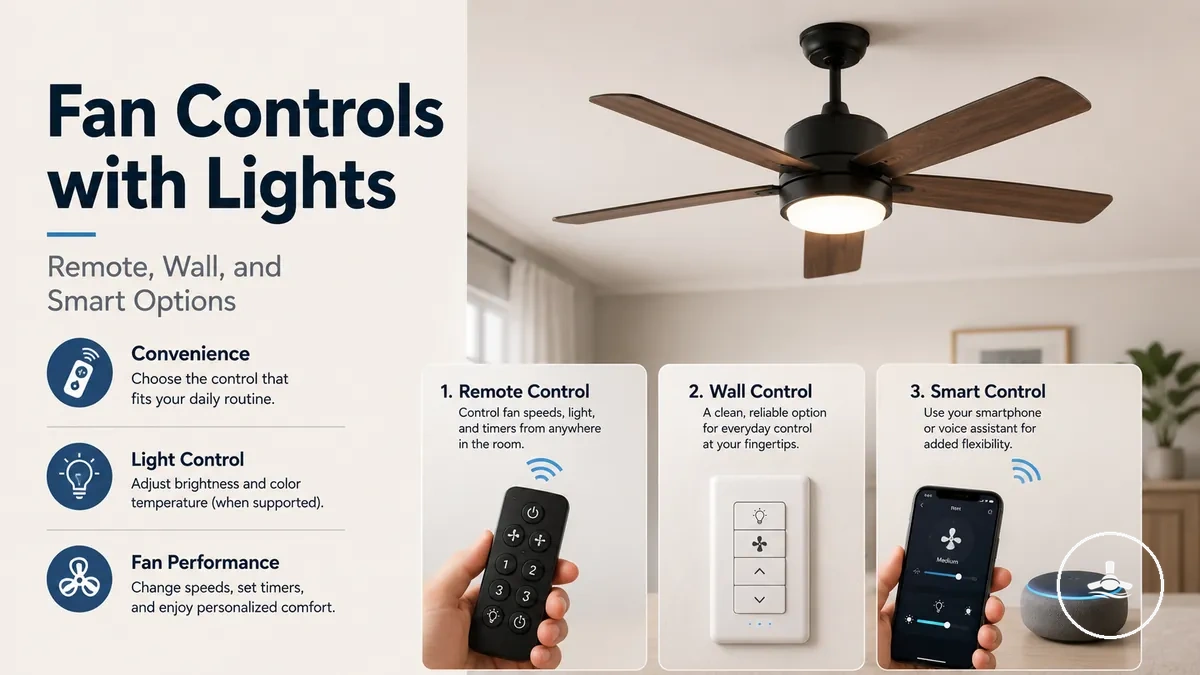
Ceiling fan with light control options shape how the fan and light are operated, including fan speed, light switching, dimming, and everyday access. The control setup does not by itself determine airflow performance or lighting quality unless the underlying fan motor, receiver, wiring, or light module supports the function. The main control paths are remote control, wall control, and smart control.
Users compare control options because the same ceiling fan with light can feel different to use depending on where the controller is placed and which functions it can access. A remote control may support handheld fan-light control through a receiver, while a wall control may suit fixed switch access when the wiring supports it. Smart control may add app control, Wi-Fi, voice control, or fallback operation when the fan system is compatible. Dimming, fan speed, and light switching should be treated as supported, limited, optional, or installation-dependent rather than assumed.
The right control choice depends on wiring, receiver support, light functions, and household access. Remote control can be useful when flexible room access matters, wall control can be useful when fixed switch access matters, and smart control can be useful when connected operation is supported. The next sections separate these control effects before comparing the individual control types.
How Controls Affect Fan Speed, Light Output, and Dimming
Controls determine how a ceiling fan with light operates by providing access to supported fan and light functions, not simply by turning the unit on or off. They control functions such as fan speed, light switching, dimming, and related features when those functions are supported. This distinction separates how the system is operated from the physical performance of the fan motor and light.
How controls affect fan speed, light output, and dimming is easier to understand when each function is considered individually. The diagram below highlights the functions a control may provide access to and how they relate to the receiver or control module.
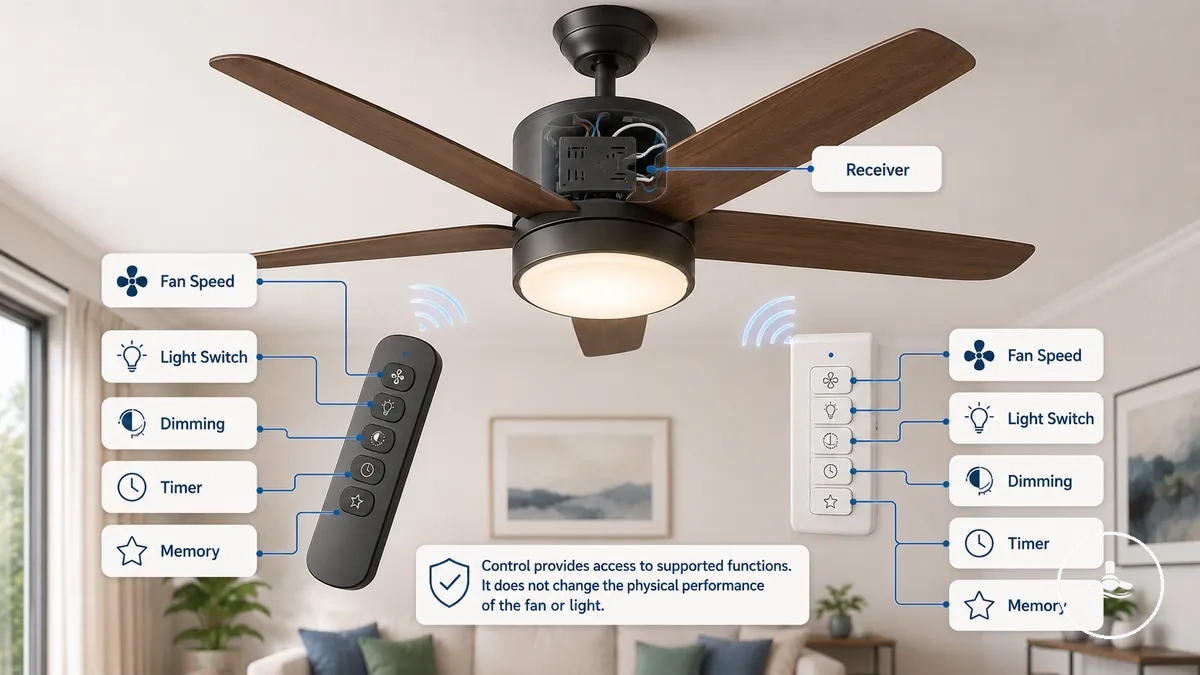
- Fan speed: Provides access to supported speed settings for airflow adjustment.
- Light switching: Controls light on and off functions when supported.
- Dimming: May provide brightness control when the bulb, LED driver, receiver, and module support the feature.
- Timer: May enable scheduled operation if the control function includes it.
- Memory function: May restore previous fan speed or light settings when supported by the receiver or module.
- Smart or remote access: Can offer additional control methods without changing the underlying fan or light hardware.
Fan speed, light switching, dimming, timer, and memory behaviour depend on the available control functions and supported components. Speed settings adjust how supported airflow levels are selected rather than increasing the fan's airflow capability. For more detail about this distinction, see speed and airflow control.
Dimming support depends on the connected bulb, LED driver, receiver, and module support rather than the control alone. The control method changes how supported lighting functions are accessed, while lighting quality remains dependent on the light system itself. For more detail about supported dimming behaviour and its limits, see dimming and lighting control.
Remote, Wall, and Smart Control Types
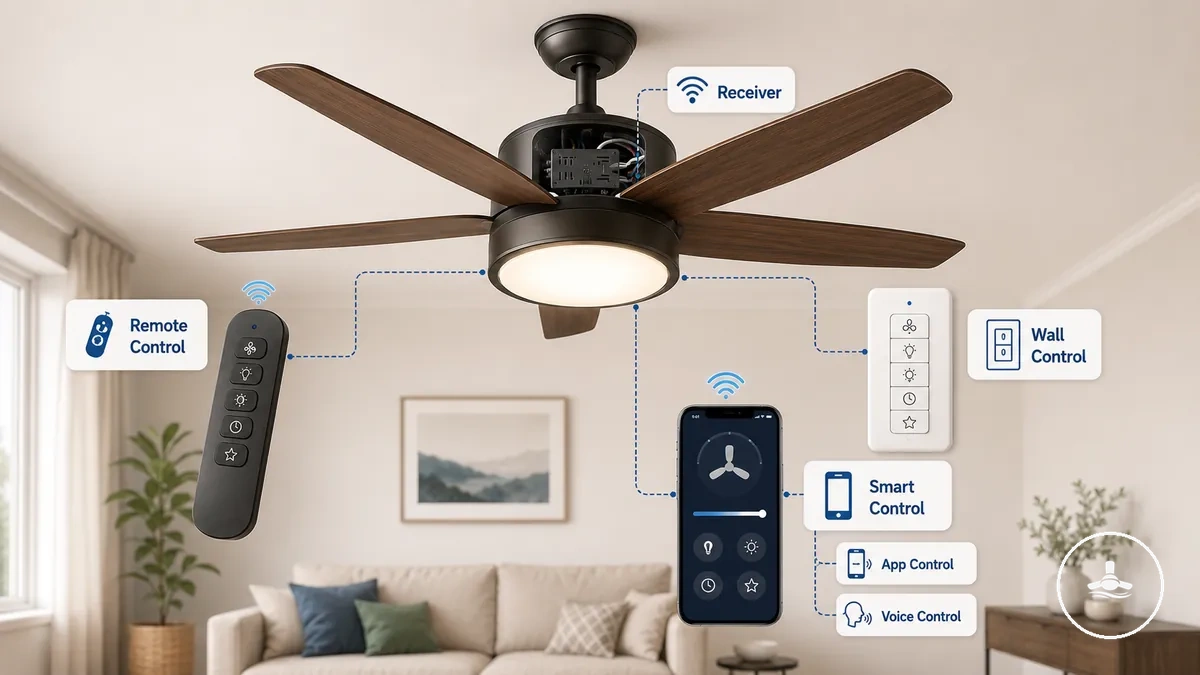
Remote control, wall control, and smart control are the three primary control types for operating a ceiling fan with light. Each control type uses a different access method and may rely on different receiver or installation requirements. The main distinction between them is how the user accesses supported functions and what the control depends on.
Remote, wall, and smart control types suit different operating preferences and installation situations. A handheld remote offers flexible access from around the room, a wall control provides a fixed switch location, and a smart control may enable app control or voice control when compatible features are available. Dimming support, speed control, and receiver requirements can vary by model. The comparison below summarizes the main differences in access method, dependency, strengths, and typical use.
| Control type | Access method | Main dependency | Typical strength | Watch-out |
|---|---|---|---|---|
| Remote control | Handheld remote | Receiver support | Flexible room access | Available features, including dimming support and speed control, may vary. |
| Wall control | Fixed wall switch or in-wall control | Wiring and installation dependency | Permanent access point | Supported functions depend on compatible wiring and control hardware. |
| Smart control | App control or voice control | Wi-Fi, receiver, and compatible smart features | Connected operation | App, voice, dimming, and speed control support may differ by system. |
No control type is universally best because the appropriate choice depends on the preferred access method, installation dependency, and supported features. The most suitable option depends on compatibility with the fan system and the functions required for everyday use. The following sections examine each control type individually.
Remote Controls and Receiver-Based Operation
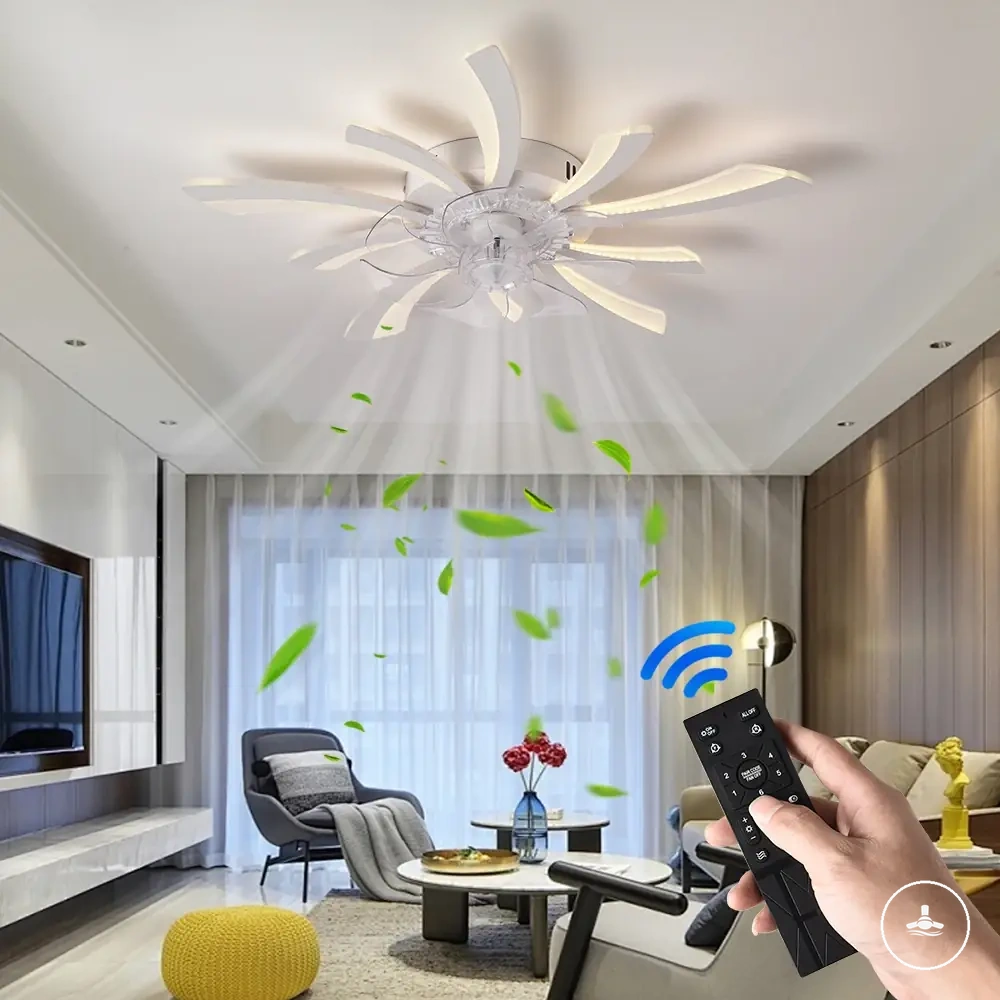
Remote control operation usually relies on a receiver or built-in module that communicates wirelessly with a handheld controller. The receiver interprets button commands and passes supported instructions to the fan and light. Available functions depend on the receiver and the control module installed in the fan.
Remote controls and receiver-based operation are easier to understand when the communication path is shown visually. The illustration below labels how the handheld controller communicates with the receiver or built-in module before supported fan and light functions respond.
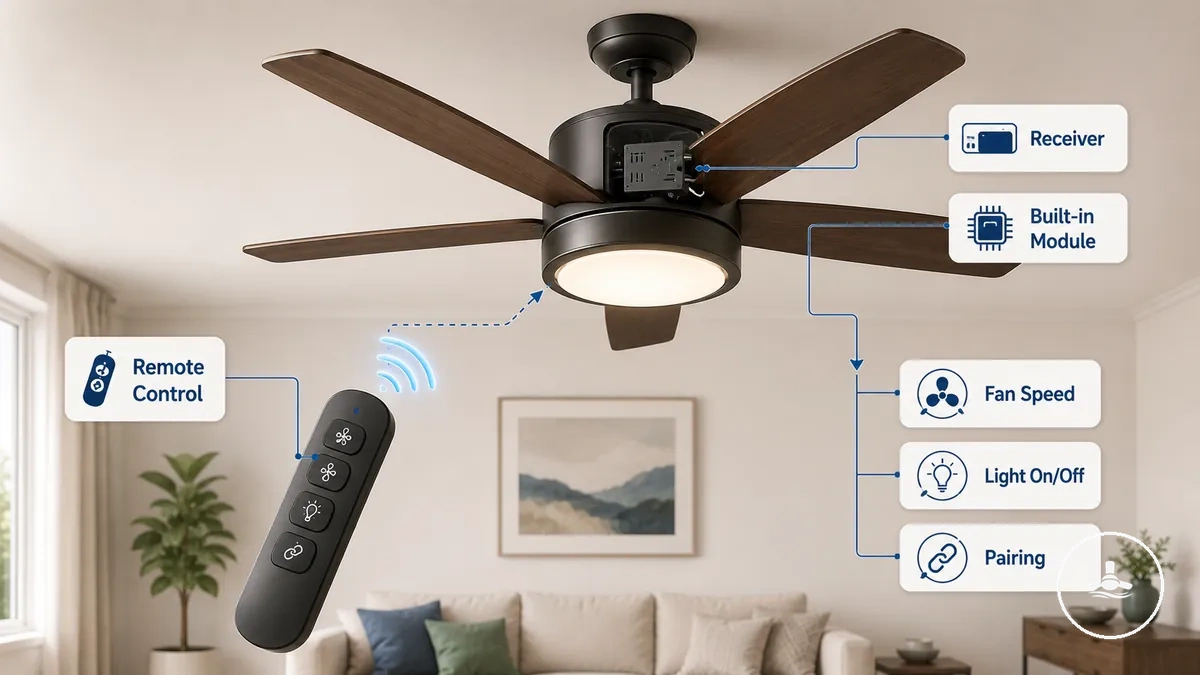
Remote control functions depend on receiver support and the features available in the fan design.
- Fan speed: Buttons may select supported fan speed settings.
- Light on-off: A dedicated button may control the light independently when separate control channels are supported.
- Dimming: Dimming buttons work only when the receiver, light, and built-in module support the feature.
- Timer: A timer function may be available on compatible remote controls.
- Pairing and battery: Pairing and battery condition can influence communication between the handheld controller and the receiver, while a lost remote may require a compatible replacement remote.
A replacement remote may operate only when it is compatible with the existing receiver or built-in module. For example, if the receiver supports separate fan speed and light channels, the remote can provide separate controls for each function after successful pairing. A remote kit should not be treated as a universal replacement because compatibility depends on the matching receiver and supported control functions.
Wall Switches and In-Wall Fan-Light Controls
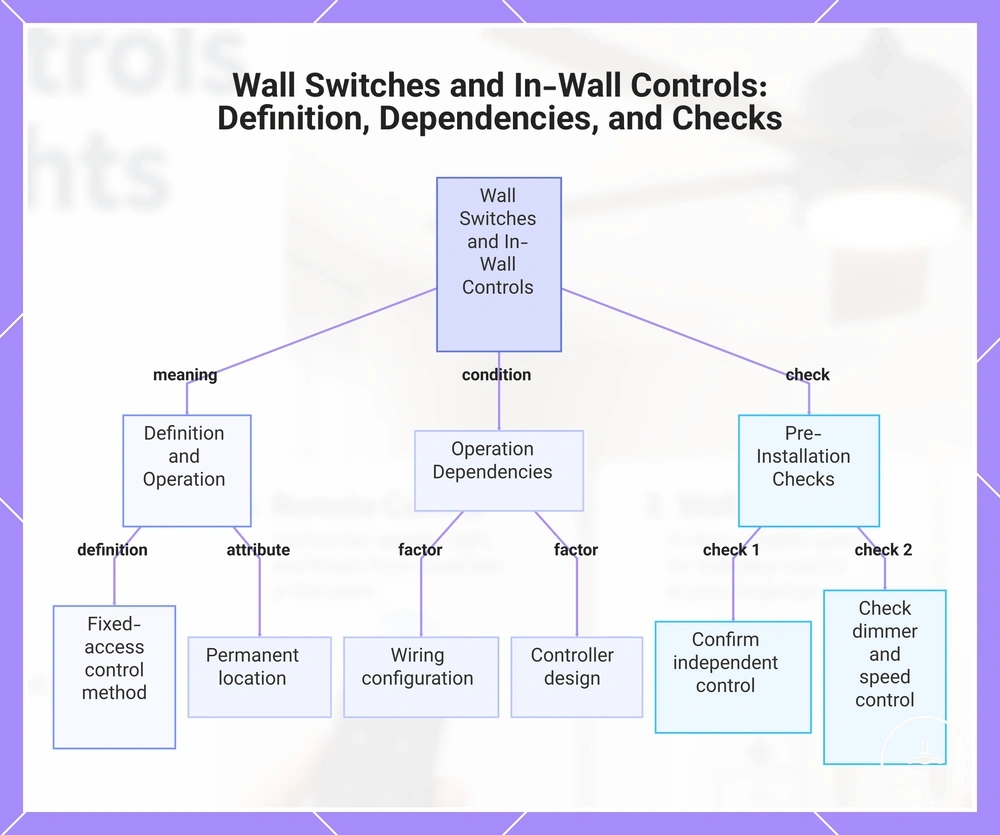
Wall control is a fixed-access control method that operates a ceiling fan, the light, or both depending on the wiring and controller design. A wall switch or in-wall control remains in a permanent location instead of using a handheld controller. The available functions depend on the wiring configuration and the selected control system.
Wall switch operation depends on the wiring layout and the controller installed. A separate switch may control the fan and light independently, while a combined in-wall control may provide both fan speed and light control functions. Dimmer compatibility depends on the light system and controller design, and speed control modules should be suitable for the intended fan motor. Neutral or load requirements may also vary with the selected wall control.
- Confirm whether a separate switch controls the fan and the light independently.
- Check whether dimmer compatibility is supported before using light dimming.
- Verify that the wall control supports the required fan speed control function.
- Review any neutral or load requirements that apply to the selected in-wall control.
- Use a qualified electrician when electrical work or controller replacement is required.
Before choosing an in-wall control, verify that the wall control matches the fan system and its supported functions rather than assuming broad compatibility. Detailed wiring requirements for wall controls belong in the dedicated wiring section rather than this overview of fixed-access controls.
This chart explains what wall switches and in-wall controls are, what they depend on, and the key checks before installation.
Smart Controls for App, Wi-Fi, and Voice Operation
Smart control adds app control, Wi-Fi connectivity, automation, or voice control when the ceiling fan system supports those features. Smart functions may be built into the fan, added through a compatible smart module, or enabled through a compatible smart wall control. The available features depend on compatibility between the fan, receiver, control module, and connected system.
Smart functions depend on built-in support or a compatible add-on control.
- App control: May allow operation of supported fan and light functions from a compatible mobile app.
- Voice control: May be available through supported voice assistant integration.
- Scheduling: Can provide timed or automated operation when supported.
- Remote access: May depend on Wi-Fi connectivity, a compatible receiver, smart module, or hub.
Smart control can improve everyday access by supporting scheduling, remote access, and voice control when the connected system supports those functions. Network availability may affect connected features, while fallback control through a remote control or wall control can remain available depending on the fan design. Built-in smart support and add-on smart modules may provide similar access methods, but compatibility, dimming functions, and available fan speed channels depend on the supported control system rather than smart connectivity alone.
Separate Fan and Light Control Requirements
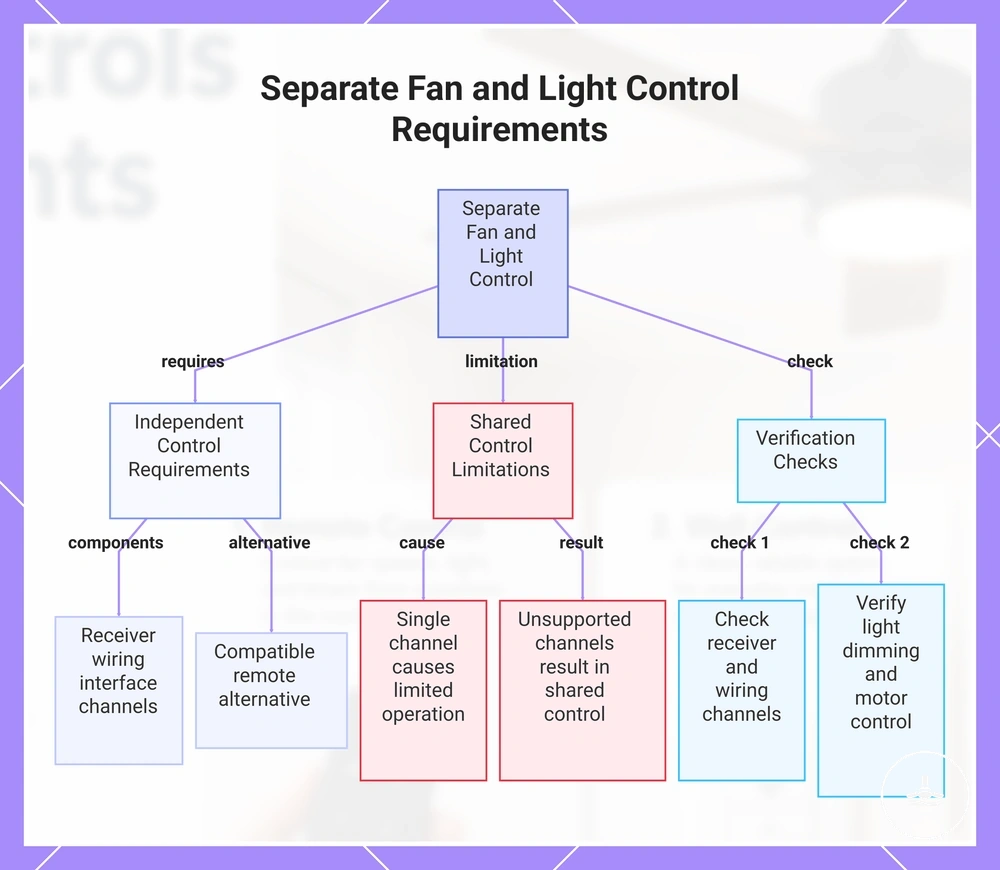
Separate fan and light control depends on whether the fan, receiver, wall wiring, and light system support independent channels. Independent operation is available only when the fan channel and light channel can be controlled separately. If any part of the control path shares a single channel, separate fan control and separate light control may be limited or result in unsupported operation.
Shared control occurs when the fan and light use the same control channels, while independent control requires support across the receiver, wall wiring, switch wiring, and the connected light system. In some cases, a compatible remote can provide separate fan control and separate light control even when a wall switch operates both functions together. Dimming capability also depends on whether the light system supports independent light adjustment. Before relying on separate operation, verify the supported control channels rather than assuming that the control method alone determines the outcome.
- Confirm that the receiver supports independent fan and light channels.
- Check whether the wall wiring and switch wiring support separate or shared control.
- Verify that the light system supports the required dimming capability, if needed.
- Confirm that the motor control supports independent fan speed operation.
- Review whether the selected switch or control interface supports separate fan and light control.
Compatibility depends on the combined support provided by the fan, receiver, wall wiring, light system, and control interface rather than by any single component. If one or more control channels are unsupported, separate operation may remain shared, limited, or unavailable.
This chart shows the requirements and limitations for achieving separate fan and light control, including necessary component support and verification checks.
Speed Control, Light Switching, and Dimming Support
Speed control, light switching, and dimming support depend on separate compatibility checks rather than a single control feature. Each function relies on different electrical and component conditions, including the receiver channel, control interface, LED driver, and bulb compatibility. Support should be confirmed for each function individually because compatibility may vary by the fan system.
Speed control manages supported speed settings, including variable speed where the motor and control system support it. Light switching controls on-off operation through the available light channel and control interface. Dimming support depends on compatible receiver channels, an appropriate LED driver, and bulb compatibility rather than the control method alone. The table below separates the main compatibility checks.
| Function | Required support | Common limitation | Decision cue |
|---|---|---|---|
| Speed control | Motor support, receiver channel, and compatible control interface | Variable speed may not be available on every system | Confirm supported speed settings |
| Light switching | Light channel and compatible control interface | Shared control channels may limit independent operation | Check whether on-off switching is separate from fan control |
| Dimming support | Compatible LED driver, bulb compatibility, and supported receiver channel | Brightness control may be unsupported even when on-off switching works | Verify dimming support before expecting brightness adjustment |
For example, a ceiling fan with light may support light on-off switching while dimming remains unsupported because the LED driver, bulb, or receiver channel does not support brightness control. This limitation reflects component compatibility rather than the presence of a remote, wall control, or smart control.
Receiver, Switch, and Motor Compatibility
Receiver, switch, and motor compatibility is a matching problem between the control accessory and the fan system. The receiver, wall switch, and motor type must support the same control method before an accessory or upgrade can operate the intended functions. Compatibility can vary by model, motor design, integrated control board, and manufacturer limitation.
Motor compatibility may differ between an AC motor and a DC motor because each motor type can require a suitable controller. Receiver matching should be checked against the control channel needs for fan speed, light control, and any separate functions. A wall switch should also match the required switch rating and supported load conditions. If the fan uses an integrated control board, a compatible factory control may be a safer match than a generic add-on receiver when manufacturer limitations restrict accessory support.
Check compatibility before choosing a control accessory or upgrade:
- Confirm whether the fan uses an AC motor or DC motor.
- Check that the receiver or control module fits the fan system and supported functions.
- Verify that the wall switch has the correct switch rating for the intended control use.
- Review whether the required control channel support is available for fan and light functions.
- Check manufacturer support or limitations before relying on an add-on controller.
Remote versus Wall Control Trade-offs
Remote control and wall control solve different access and reliability needs, so the most suitable control choice depends on access preference, wiring dependency, and household use. Remote control emphasizes handheld convenience through a receiver-based approach, while wall control provides fixed access from a permanent location. These trade-offs vary by installation and daily use, so neither option is a universal choice.
Remote control can provide convenient handheld access but may depend on receiver compatibility, and a lost remote can reduce immediate access until a compatible controller is available. Wall control offers fixed access that is harder to misplace but may depend on existing wiring and installation conditions. Dimming support may vary with the control type, receiver, light system, and compatible components rather than the access method alone. The comparison below summarizes the main decision factors.
| Factor | Remote control | Wall control | Decision signal |
|---|---|---|---|
| Access | Portable handheld access | Fixed switch access | Choose based on everyday access preferences. |
| Installation dependency | May rely on a compatible receiver | May depend on existing wiring | Check the fan system before changing the control method. |
| Household use | Convenient from different locations | Predictable access from one location | Match the control style to how the room is used. |
| Dimming support | Depends on compatible components | Depends on compatible components | Verify support instead of assuming it is available. |
| Lost-control risk | A lost remote may reduce access | Fixed switch remains in place | Consider whether portable or permanent access is more important. |
| Upgrade flexibility | May support receiver-based upgrades | May depend on wiring and compatible controls | Review compatibility before upgrading. |
In a bedroom, remote control may suit users who value handheld access from different positions. In shared rooms or homes where fixed switch access matters, wall control may provide a more predictable access point. In rentals, the preferred control choice may depend on what the existing fan system supports. Choose the option that best matches the room, installation conditions, and household priorities.
Smart Control Upgrade Considerations
Smart control is worth considering when convenience, automation, and compatibility match how a ceiling fan with light is used. A smart upgrade can add app control, voice control, or scheduling when the fan system supports those features. The value of the upgrade depends on compatibility rather than smart features alone.
For households that benefit from app control, voice control, scheduling, or remote access, smart control may provide greater day-to-day convenience. These features can be useful when users want connected control from different locations or automated routines. In other homes, occasional fan operation may not require connected control beyond a standard remote or wall control. Connected features also depend on reliable Wi-Fi where network-based functions are used.
Before selecting a smart upgrade, verify that the fan supports a compatible module or receiver and that any wall control can work with the intended control method. Fallback control should remain available if Wi-Fi is unavailable or connected features cannot be used. App or account dependency may also affect access to connected features. Check compatibility before assuming that an existing ceiling fan with light can accept a smart upgrade.
- Decide whether app control is needed for everyday use.
- Confirm whether voice control supports the intended setup.
- Verify compatible module or receiver support before upgrading.
- Consider whether Wi-Fi reliability is suitable for connected features.
- Check that fallback control remains available if network access is interrupted.
- Confirm whether dimming or fan speed support matches the available control functions.
Smart features do not automatically improve fan performance or light output. They mainly change how supported functions are accessed and managed. If automation is not a priority, a standard remote or wall control may provide the required operation without connected features.
Choose smart control when connected features align with household use, compatibility, and control goals. If portable or fixed manual operation already meets everyday needs, a standard remote or wall control may be the more practical selection.
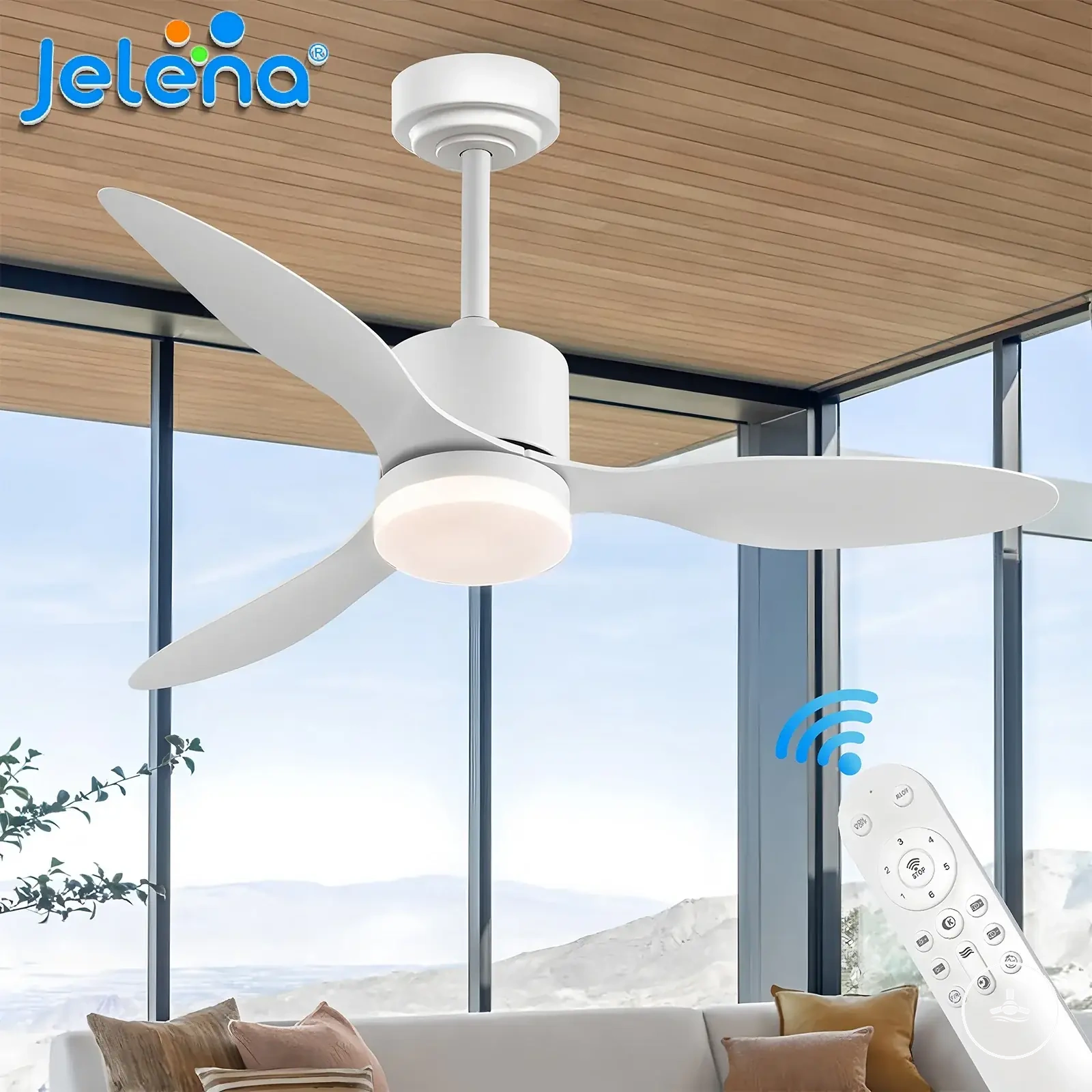
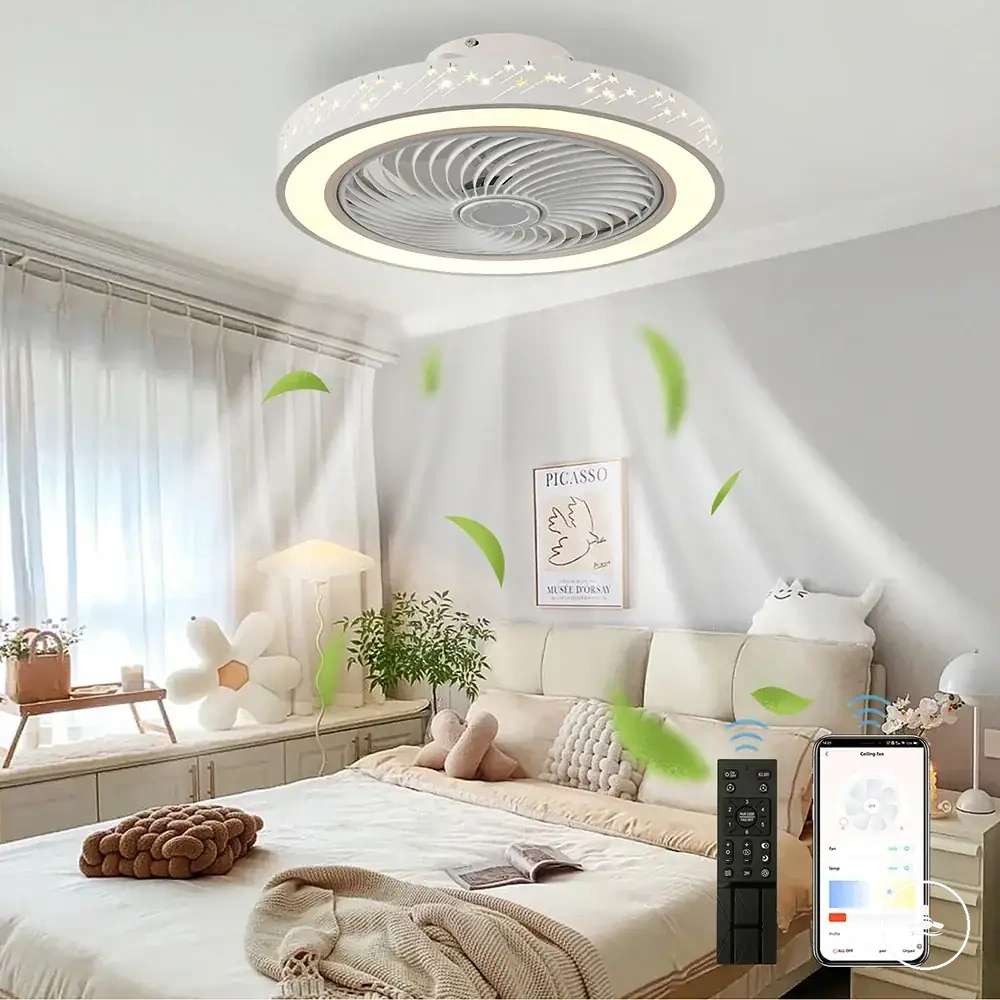
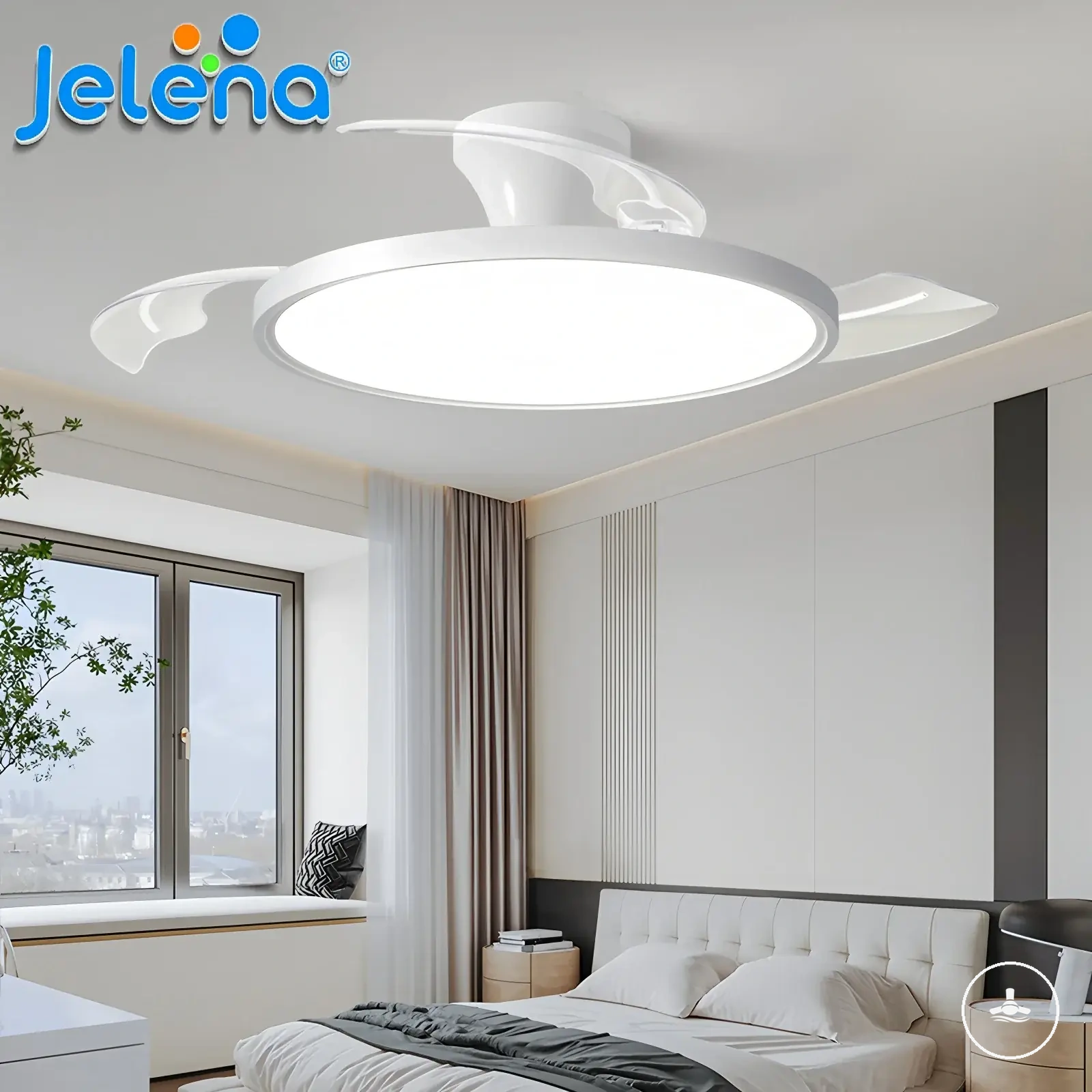
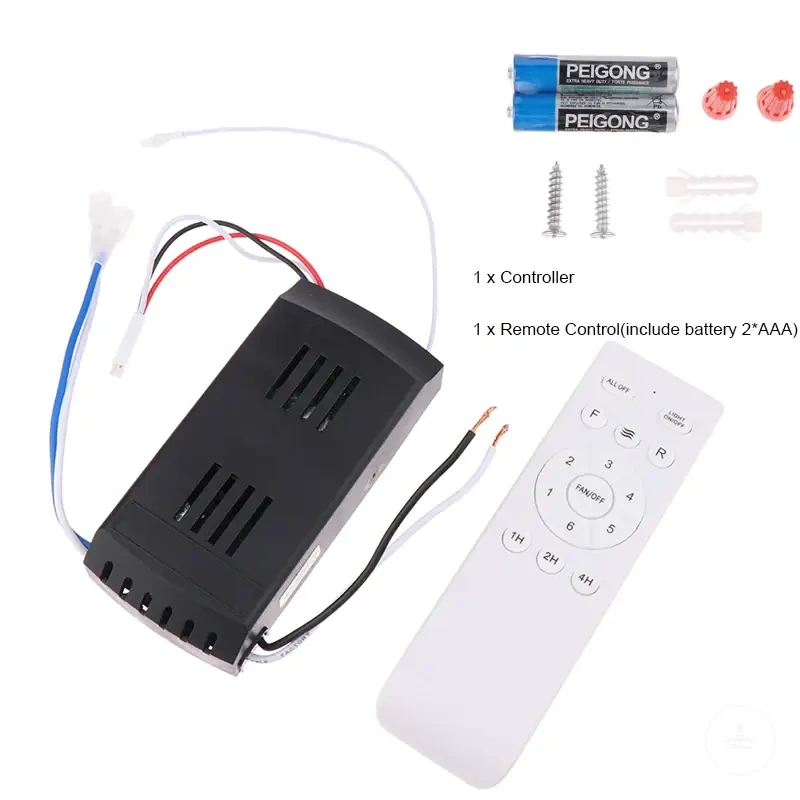
Here are product examples that may make comparison easier. Before buying, always review the compatibility criteria, essential features, and product details.
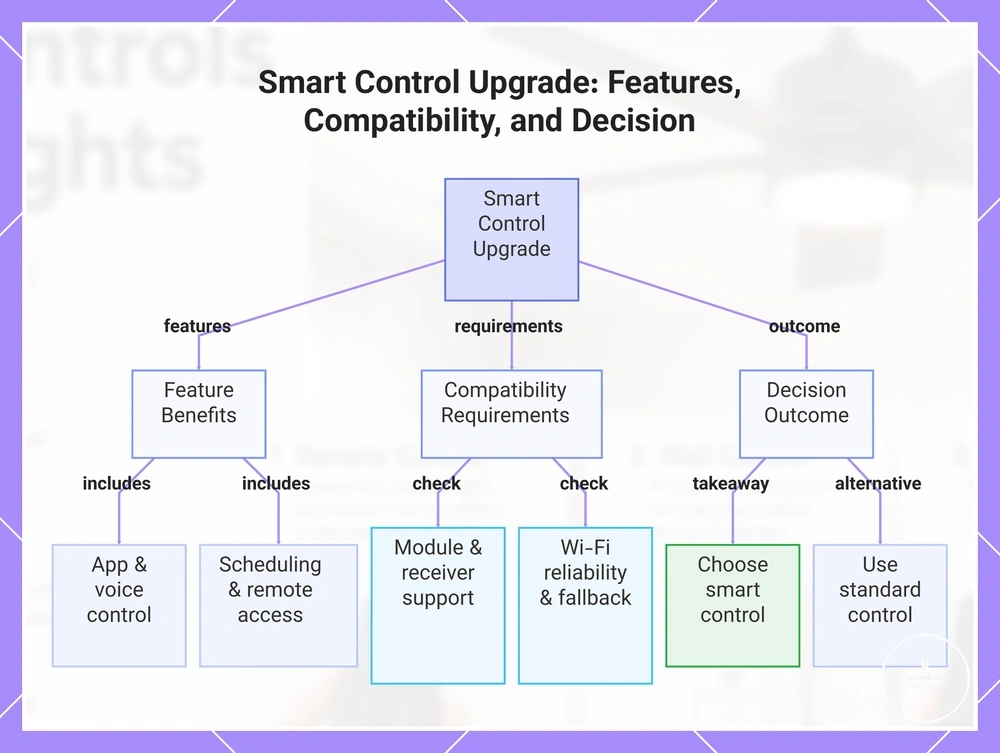
This chart shows the key factors for deciding whether to upgrade a ceiling fan with light to smart control, including features, compatibility checks, and outcome choices.
Wiring and Installation Limits for Control Setups
Wiring and installation limits determine which control setup is realistic for a ceiling fan with light. Existing wiring, available space, and component compatibility can limit whether a remote receiver, wall control, dimmer, or smart module can be used. Any control setup that involves wiring should be treated as qualified electrical work.
Wiring conditions can affect how remote, wall, dimmer, and smart control choices are evaluated. Existing switch wiring may limit wall control options, and separate fan and light feeds may be needed for independent switching. A remote receiver may also depend on available ceiling canopy space and access, while motor-control compatibility can affect whether a dimmer or controller is suitable. The checklist below keeps these limits at the decision level.
- Check whether the existing wiring supports the intended control setup.
- Confirm whether separate fan and light feeds are available when independent control is needed.
- Review whether there is suitable space for a remote receiver in the ceiling canopy.
- Consider whether ceiling canopy access affects the practicality of the control setup.
- Verify that the switch or wall control is compatible with the fan and light functions.
- Check whether dimmer restrictions apply to the motor, light system, or control method.
- Use a qualified electrician when wiring changes or electrical review are required.
This section supports control-choice decisions rather than providing wiring instructions. It identifies installation constraints that may make one control setup more realistic than another. A full wiring guide or qualified electrical work is still needed when the control choice depends on actual wiring changes.
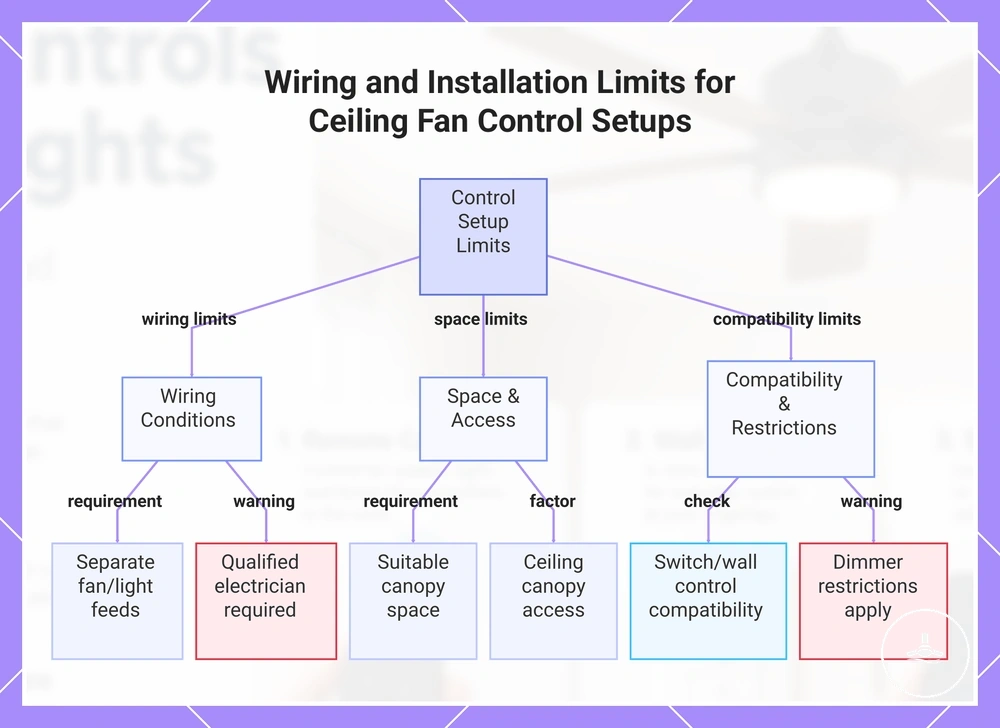
This chart shows the main constraints—wiring, space, and compatibility—that determine which control setup is realistic for a ceiling fan with light.
Control Features to Compare Before Choosing
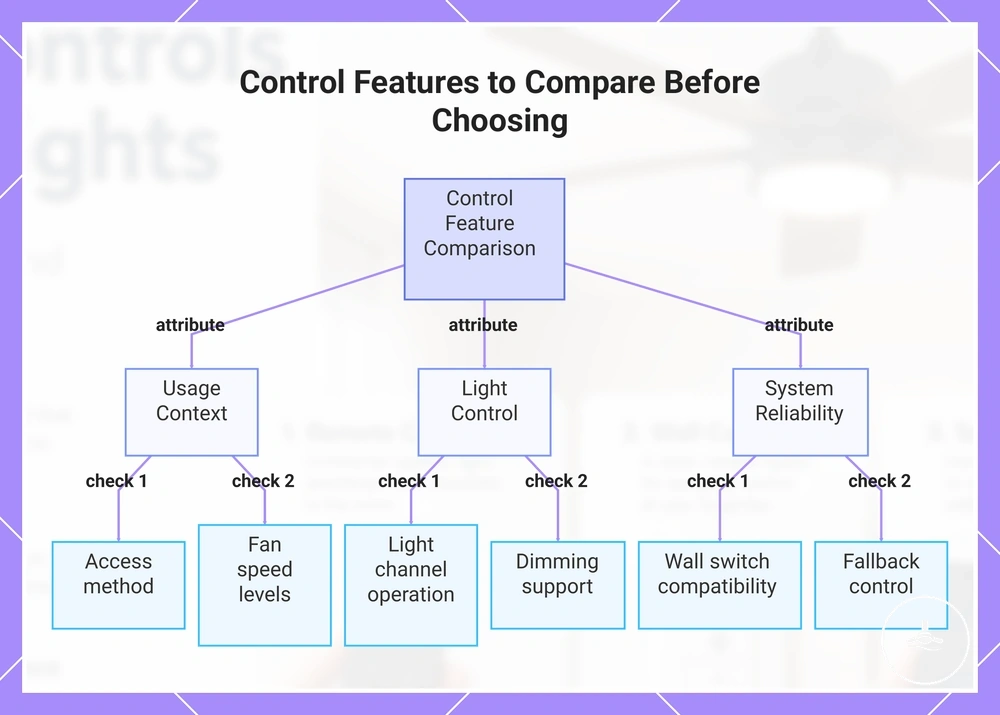
Control features should be compared by access method, fan speed, light channel, dimming, compatibility, and fallback control before choosing a ceiling fan with light. These buying criteria help determine whether a control setup matches room use, wiring constraints, and everyday convenience. Feature support may vary by model, receiver, and installation requirements.
Use the checklist below to compare control features as final buying criteria rather than focusing on a single function. Compare the control method, available fan speed levels, light channel operation, dimming support, receiver requirements, wall switch compatibility, smart access, and installation requirements together. This approach helps identify which features are needed, optional, unsupported, or model-dependent before making a selection.
- Choose the control method that matches how the room will be used.
- Confirm that the available fan speed levels meet everyday needs.
- Check whether the light channel supports the desired level of independent control.
- Verify whether dimming is supported or model-dependent.
- Confirm whether a receiver is required and compatible with the fan.
- Check wall switch compatibility and any installation limits.
- Consider whether smart access is needed or optional.
- Ensure fallback control remains available if connected features cannot be used.
For a bedroom, convenient access may matter most, while shared rooms may place greater value on predictable operation from a wall switch. Wiring constraints can also affect which control setup is realistic. Choose the feature combination that best matches room use, user access, and installation conditions.
For a broader category context, visit the ceiling fans with lights hub. This section keeps the focus on feature comparison rather than product listings. Return to the criteria whenever control features need to be weighed before choosing.
Compare control features using the same buying criteria throughout the selection process so convenience, compatibility, and installation limits remain balanced. For a broader selection framework, see control features to compare before making a final decision.
Here are product examples that may make comparison easier. Before buying, always review the compatibility criteria, essential features, and product details.
This chart shows the key control features to compare when selecting a ceiling fan with light, grouped by usage context, light control, and system reliability.